20/10/2026 01:18
Who Should Edit the Captions? YouTube Subtitle Access for Cambodian Cooking Schools

A cooking demonstration can show every fold of a banana leaf while leaving viewers unsure what the instructor said. For a Cambodian cooking school, subtitles can help explain the lesson to people watching quietly or reading another language. The operational question is who should prepare those subtitles, what access that person needs, and who checks the result before promotion. This guide uses a hypothetical Phnom Penh cooking school preparing a Khmer demonstration with English subtitles. It follows the work from assignment to publication review, then explains how to assess an SMM panel listing without treating purchased engagement as proof that anyone understood the lesson or wants to enrol.
1. Define the subtitle assignment before inviting anyone
Start with a concrete deliverable: one approved video, its spoken language, the required subtitle language, and a named reviewer. In the hypothetical school, the instructor explains how to fold a banana-leaf bowl in Khmer. A translator prepares English subtitles, while a bilingual colleague checks that the instructions still match the hand movements. The person responsible for promoting the class receives the finished video link only after this review.
Decide whether direct channel access is useful. For a single lesson, the translator can supply a timed subtitle file for the owner to upload. For recurring lessons, working inside Studio may reduce repeated file exchanges. Choose according to the workload, the collaborator's experience and the school's ability to review changes. A translation task does not automatically require access to the channel.
Write down what is outside the assignment, such as changing class prices, rewriting the offer or translating unrelated lessons. This gives both parties a clear stopping point.
2. Understand what the Subtitle Editor role permits
YouTube's channel-permissions documentation says a Subtitle Editor can add, edit, publish and delete subtitles on eligible videos. The role does not provide general video-upload powers or access to revenue data. This makes it relevant to a captioning assignment, but it still carries responsibility: a collaborator can change words that viewers rely on.
Do not mistake a narrow role for an approval system. Because publishing subtitles is permitted, an instruction to wait for review is a team agreement, not a technical restriction imposed by the role. If the school needs exclusive control over publication, use an external file handoff and have the owner upload the approved version.
Also treat the assignment list as an instruction about scope, rather than assuming the invitation grants access to only the named lesson. Before inviting someone, consider the other material available through the role. Choose a trusted collaborator and explain which videos they should work on.
3. Prepare the video and send the correct invitation
YouTube's Subtitle Editor guide requires a video language to be set before the collaborator can add or edit subtitles. Set the original spoken language accurately; the desired translation language is a separate choice. For the hypothetical lesson, Khmer describes the speech, while English identifies the additional subtitle track.
On a computer, the owner or manager opens YouTube Studio, then Settings, Permissions and Invite. Enter the collaborator's Google Account email, select Subtitle editor, and finish with Done and Save. Check the email address with the collaborator before sending. They accept the invitation through their email.
If the role is unavailable under Brand Account access, YouTube directs owners toward channel permissions. Review that setup separately instead of granting a broader role to get past the obstacle. An owner-uploaded subtitle file remains a practical alternative while the account arrangement is being reviewed.
4. Give the translator a brief that resolves real ambiguities
Supply the approved video reference, a transcript if available, and a short glossary. For a cooking school, useful glossary entries include ingredient names, utensils, preparation verbs and the preferred spelling of the instructor's name. Explain which Khmer terms should remain in the translation and which need a short English explanation. Avoid asking the translator to infer the school's teaching vocabulary from promotional posts.
In a hypothetical example, an instructor points at a leaf and says the equivalent of 'fold this side inward.' Without the image, a translator might choose wording that suggests folding the entire leaf. Ask them to mark the timestamp and query the instructor. Resolving the uncertainty is more useful than producing a fluent but incorrect instruction.
Separate teaching content from booking information. If the spoken lesson does not mention transport, equipment or ingredients being included in a class, the subtitles must not introduce those benefits. Translation should preserve the offer rather than quietly expand it.
5. Run a small pilot before assigning the full library
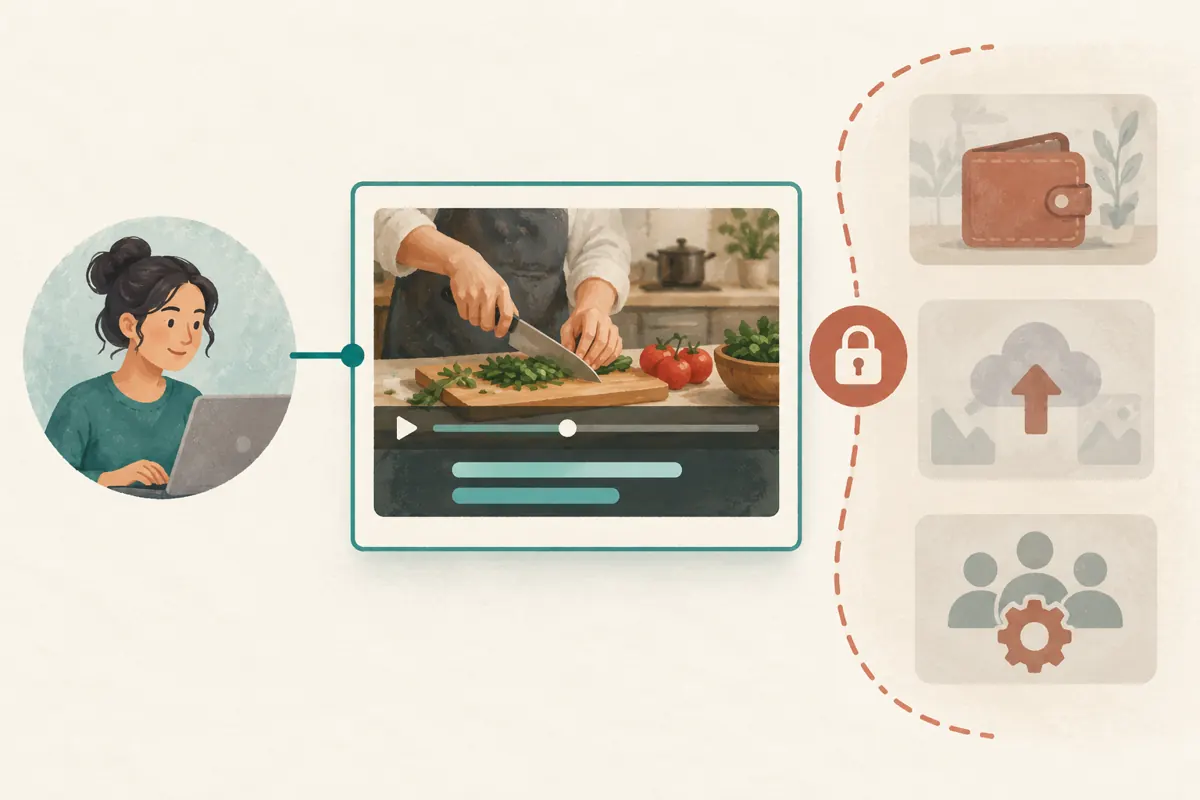
Choose one short passage containing both ordinary explanation and a specialised term. Ask the translator to prepare it using the intended workflow, then have the reviewer watch it with the video. The pilot should reveal whether the wording, line length and timing support the action. Resolve recurring issues now, before they appear across several lessons.
YouTube's subtitle instructions allow creators to select a video under Subtitles, add a language and choose how to provide captions, including uploading a file or entering text. Agree on one method for the assignment so that the owner knows what will be handed over. Confirm whether the next review will happen in Studio or from a supplied file.
Keep a simple issue list with the timestamp, current wording, reason for the query and agreed replacement. Avoid competing corrections scattered across voice messages and chat replies. One shared record makes the next pass easier to verify.
6. Review meaning and timing as separate jobs
First, have a reviewer who understands both languages compare the subtitles with the instructor's speech. Check action verbs, ingredient quantities, negatives and conditions. A missing word such as 'not' can reverse an instruction. If a sentence is uncertain, return it to the instructor rather than approving it because the English sounds natural.
Next, watch the demonstration for timing. A caption about pressing a corner should appear while that corner is visible. Give viewers enough time to read without allowing the next step's words to arrive before the demonstration. Readability depends on the sentence and the action, so use playback to judge the result rather than applying an arbitrary line length everywhere.
Finally, check the lesson's commercial references. A passing mention of a class date or included material needs the same factual care as a promotional caption. If the recording itself is outdated, flag that underlying problem; subtitles should not conceal a conflicting spoken promise.
7. Test the published result as a learner
After the authorised person publishes the approved subtitles, open the video through the link that will be shared. Select the intended subtitle language and watch on a phone. Confirm that the correct track is available, the text remains readable and the viewer can follow the movement without repeatedly choosing between the hands and the words.
For a practical test, ask a willing colleague unfamiliar with the lesson to explain the next step after watching a short passage. In this hypothetical school, the colleague might identify the right corner but misunderstand which edge faces inward. That observation gives the instructor something specific to improve. It is an internal usability check, not customer proof or a claim about all viewers.
Record the reviewed video, subtitle language, reviewer and date. This creates a useful reference when someone later reports a confusing line. A message saying 'captions finished' does not identify which version was actually checked.

8. Keep SMM panel evaluation separate from subtitle approval
The supplied catalogue includes the exact listing 'YouTube Like ~ Max 50k ~ 50k/days ~ Instant ~ 𝗥𝗘𝗙𝗜𝗟𝗟 30D'. Its title presents it as a YouTube likes service, but the brief supplies no description. The title's quantity, speed and refill wording should therefore remain unverified listing claims. Nothing supplied identifies a subtitle-editing service or establishes that participants are Cambodian learners.
YouTube's Fake engagement policy prohibits artificial increases in views, likes and other metrics. It also states that a hired promoter's actions can affect the channel. Assess the actual proposed method against that policy; do not proceed with artificial engagement simply because a catalogue offers it. A completed caption review does not make an incompatible promotion method acceptable.
Purchased engagement is not evidence of genuine interest, enrolments, advertising delivery or Cambodian users. For this school, a more useful next action is sharing the understandable lesson with a relevant audience through permitted channels and providing a clear route for genuine class enquiries.
9. Close the assignment and preserve a correction route
At completion, retain the approved subtitle file when one was used, the glossary and any unresolved questions. Agree who will handle later corrections. A translator finishing the assignment should not leave the school dependent on an unexplained file in a private chat or on someone's memory of the final wording.
Review access when the collaboration ends. YouTube provides removal controls under channel permissions. For an ongoing translator, set a review date tied to the actual work schedule. For a finished one-off assignment, remove access when it is no longer needed and confirm that the school has the materials required to maintain the lesson.
If a viewer identifies an error, record the video, language and timestamp before requesting a correction. Ask the instructor to confirm the intended meaning, update the affected wording and replay that passage. Broaden the review when the error suggests a recurring misunderstanding, such as the same utensil being mistranslated throughout.
10. Avoid the shortcuts that create repeat work
A common mistake is inviting the translator before deciding who will review their work. The task then sits unfinished, or publication happens without anyone checking meaning. Another is assuming that a bilingual staff member automatically knows caption timing. Match the review responsibilities to the person's skills and make time for a playback pass.
Avoid changing the demonstration halfway through translation without telling the collaborator. If the school creates a revised cut, identify it clearly and explain which passages changed. Otherwise, a perfectly prepared subtitle file may describe actions that now occur at different moments. Keep the approved recording stable during the assignment whenever possible.
Finally, do not judge subtitle quality by the video's engagement counter. Keep notes on observed comprehension problems, genuine class questions and confirmed bookings as different kinds of evidence. A viewer asking whether a beginner can attend is useful feedback, but it still does not establish that subtitles caused the enquiry.
Frequently asked questions
Does the translator need our Google Account password?
No. YouTube channel permissions allow collaborators to use their own accounts. The school should invite the appropriate account with the selected role. If direct access is unnecessary, request a subtitle file and let the owner handle the upload. Neither arrangement requires giving the translator the owner's password.
Can we make Subtitle Editor access draft-only?
The documented role includes publishing and deleting subtitles, so do not treat it as draft-only access. Agree explicitly on review before publication. If the school requires a stronger separation, keep the translator outside Studio and have an authorised owner upload only the approved file.
Should a Khmer lesson have English as its video language when we want English subtitles?
Set the original video language to match the speech. Add English as the requested subtitle language separately. The brief should distinguish those two fields so the collaborator knows whether they are transcribing Khmer, translating into English, or producing both deliverables.
What if nobody at the school can check the English translation?
Arrange an independent bilingual review before relying on it for promotion. Give that reviewer the recording and glossary, not just the English text. Someone who reads only the translation can assess clarity but cannot reliably confirm whether it preserves the Khmer instruction or leaves out a qualification.
Will better subtitles guarantee more class bookings?
No. Subtitles address comprehension and accessibility; bookings also depend on the offer, availability, location and the viewer's needs. Review genuine questions for signs of confusion and record confirmed bookings separately. Neither a purchased like nor a higher visible counter demonstrates that subtitles produced a sale.
Explore the current service catalogue, create an account, or ask a specific question through support tickets.
- YouTube Help: Add or get Subtitle Editor access in YouTube Studio
- YouTube Help: Add or remove access to your YouTube channel with channel permissions
- YouTube Help: Add subtitles and captions
- YouTube Help: Fake engagement policy
Prepared with AI assistance. Illustrations explain the workflow and do not represent customer results.