20/10/2026 21:12
Which Pocket Holds the Laptop? TikTok Video Covers for Cambodian Backpack Shops
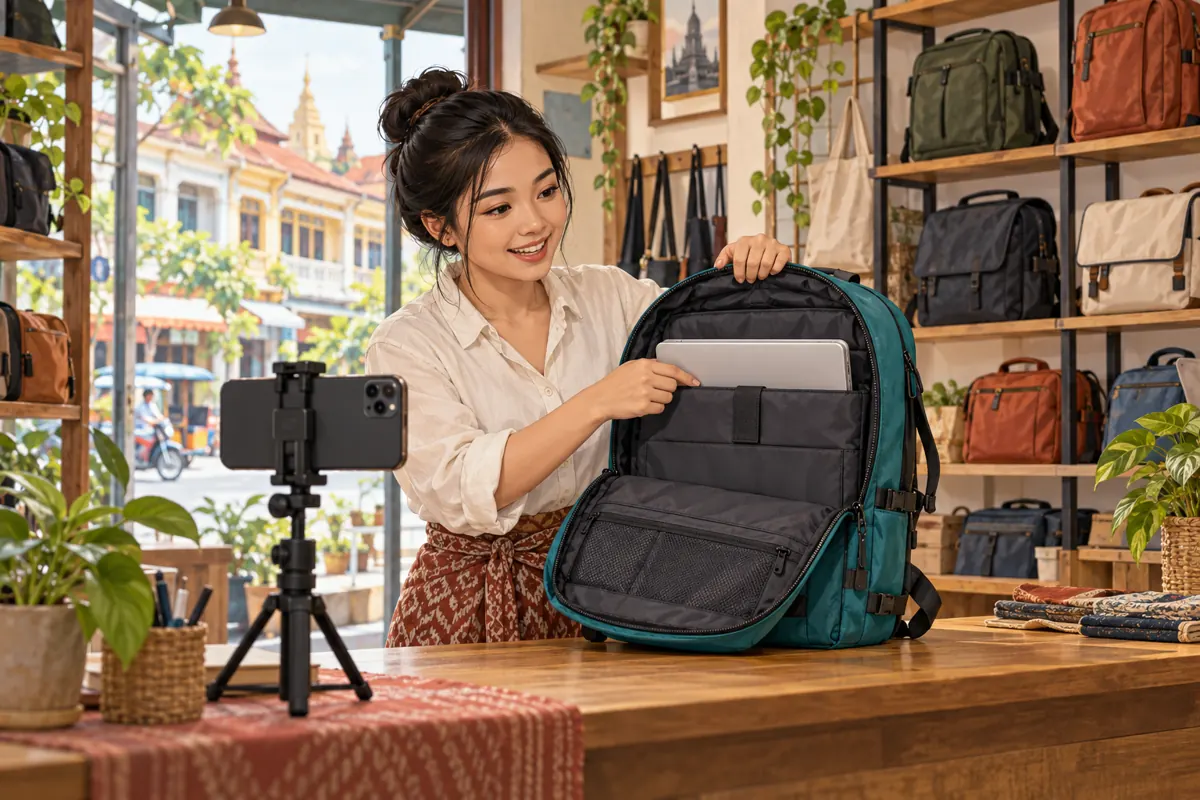
A backpack shop can publish useful demonstrations and still leave visitors guessing which video answers their question. When every preview shows a closed bag against the same wall, the laptop-pocket guide looks much like the strap-adjustment clip. For Cambodian shops serving students, commuters and office workers, a carefully chosen TikTok cover can make that collection easier to browse. The task is specific: help someone recognize the relevant demonstration before opening it. This workflow connects the buyer’s question, the filmed evidence and the selected cover, then explains why an SMM panel service cannot substitute for that clarity. The shop scenario below is hypothetical, and the accompanying illustrations depict fictional examples.
1. Give the cover one job
Begin with a question customers actually ask at the counter or in messages. For this workflow, use: “Which compartment holds the laptop?” That is narrower and more useful than “Why is this backpack good?” A cover showing the open sleeve can identify the subject immediately. A closed bag may establish its color and shape, but it gives little reason to distinguish this demonstration from several others.
Write a one-sentence content promise before filming: this video shows the laptop compartment in this particular backpack. Keep price, delivery arrangements and unrelated features out of the cover unless they are essential to that promise. They can be explained elsewhere. This approach also gives the reviewer a concrete approval question: does the chosen frame visibly represent the demonstration viewers are about to watch?
2. Understand what TikTok documents about covers
TikTok’s Help Center describes a video cover as a thumbnail preview used in places such as a profile or search results. Its documented workflow allows you to choose the cover before posting. On the posting screen, tap Select cover on the thumbnail, move the selector to the desired video frame, and save. Check the controls shown in your own app before preparing the final post.
Treat this as a way to label the video visually. It is not a documented promise of search placement or additional distribution. Also review the opening footage separately: a useful still image does not repair a confusing demonstration. The cover should help someone select the right clip, while the footage must deliver the explanation. TikTok’s official instructions are linked under sources for the person responsible for posting.
3. Build a small, product-specific filming brief
Consider a hypothetical Phnom Penh shop selling two visually similar backpacks. One has a separate padded sleeve; the other has an open main compartment. Staff want to explain the first model without accidentally suggesting that both have identical interiors. Their brief records the product reference, actual sample color, compartment being demonstrated and device used as a prop. This information stays with the footage during editing.
The brief should also define what the demonstration does not establish. Showing one laptop inside one bag does not prove compatibility with every device bearing the same advertised screen size. Device dimensions, protective cases and the opening of the sleeve can matter. Film the actual insertion and closure, and describe only what staff have checked. Keep any universal fit claim off the cover unless there is evidence supporting it.
4. Film a moment that works as a still
Open the backpack toward the camera and illuminate the lining so the sleeve is distinguishable from the surrounding compartment. Insert the demonstration laptop slowly enough to show where it goes. Then hold the arrangement steady, with hands clear of the sleeve’s opening. This creates a usable frame inside the actual demonstration rather than forcing the editor to select a blurred moment between movements.
Remove distracting packaging, unrelated products and customer paperwork from the counter. If the laptop is only a prop, make that clear in the video or description so the image does not imply a bundle. Avoid forcing the bag open beyond its normal shape to make the space look larger. A slightly less dramatic view that accurately shows the construction is more useful to someone deciding whether to enquire.
5. Compare candidate frames with a simple decision rule
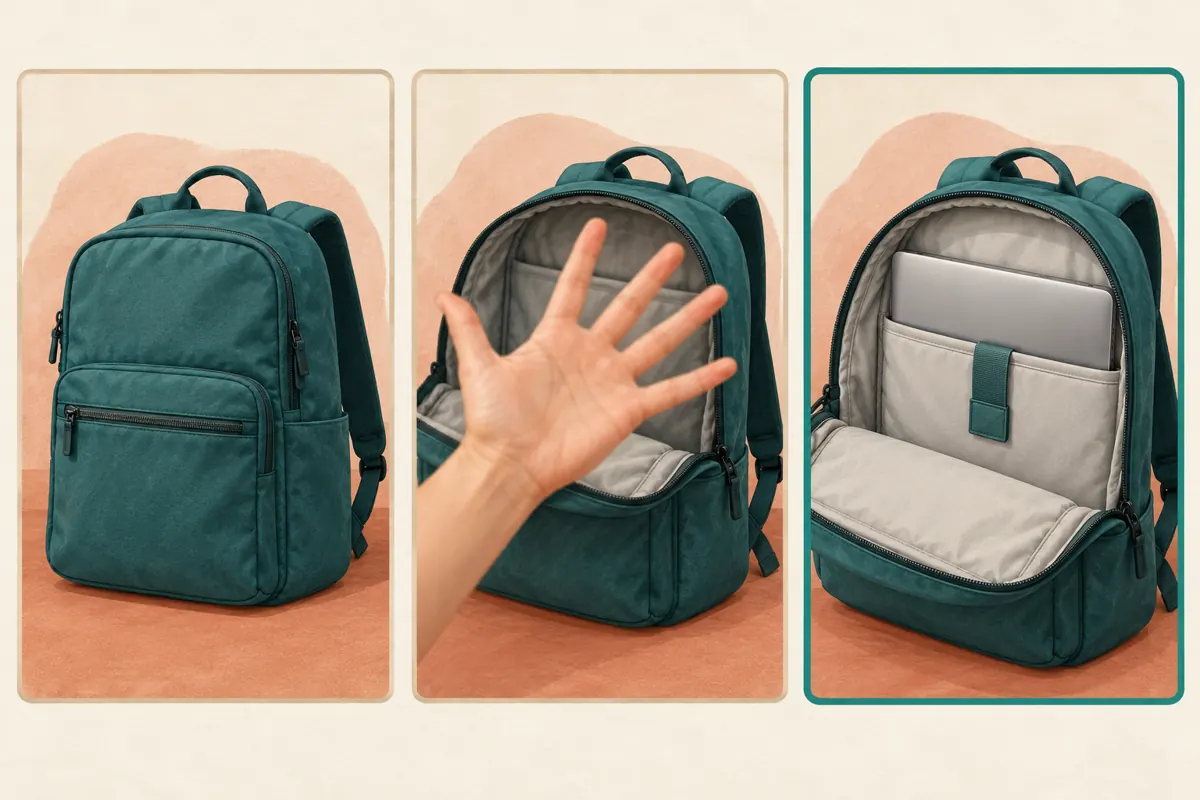
Choose several possible moments from the finished video. In the hypothetical shop, the first candidate shows the closed backpack, the second shows the opening hidden behind a hand, and the third shows the laptop resting in the sleeve. Compare them on three questions: can someone identify the feature, recognize the product and understand the image without hearing the narration? The third candidate best serves this particular question.
Do not choose solely on attractiveness. A polished exterior shot might be right for a color overview but wrong for an interior guide. Reject a frame if it shows another model, hides an important limitation or makes an accessory appear included when it is not. If every candidate fails, record a clearer moment. Selecting a cover cannot reveal evidence that the footage never captured.
6. Make the image readable for the intended Cambodian audience
Preview the candidate at approximately the small size at which someone will browse it on a phone. The sleeve opening should remain recognizable without zooming. Keep the important detail comfortably inside the frame and inspect the preview available in the app. Avoid depending on tiny stitching, a small product label or a narrow strip of lining to communicate the entire subject.
If you add wording to the creative, use the language your actual customers understand. A shop answering mainly Khmer enquiries should have a fluent reader check any Khmer label, including whether line breaks separate words awkwardly. Keep model references consistent with the shop’s own product records. Do not crowd a thumbnail with Khmer, English, price, address and delivery conditions simultaneously. A short identifying phrase and a clear image usually provide a better starting point.
7. Review the cover, footage and description together
Before posting, watch the full video and compare it with the proposed cover. The same backpack, interior construction and demonstration device should appear throughout. The description should identify the model and explain any material qualification, such as the fact that the laptop is not included. If the video shows a different color from the available sample, explain that accurately rather than relying on viewers to infer it.
Give buyers an appropriate next step. For this example, invite them to send their device dimensions and say whether they use a protective case. That produces a more useful conversation than an unsupported “fits all laptops” statement. If the shop also offers collection or delivery, provide confirmed arrangements where customers can read them. The cover’s role remains recognition; the enquiry process handles the individual buyer’s requirements.
8. Keep a recognisable pattern across related demonstrations
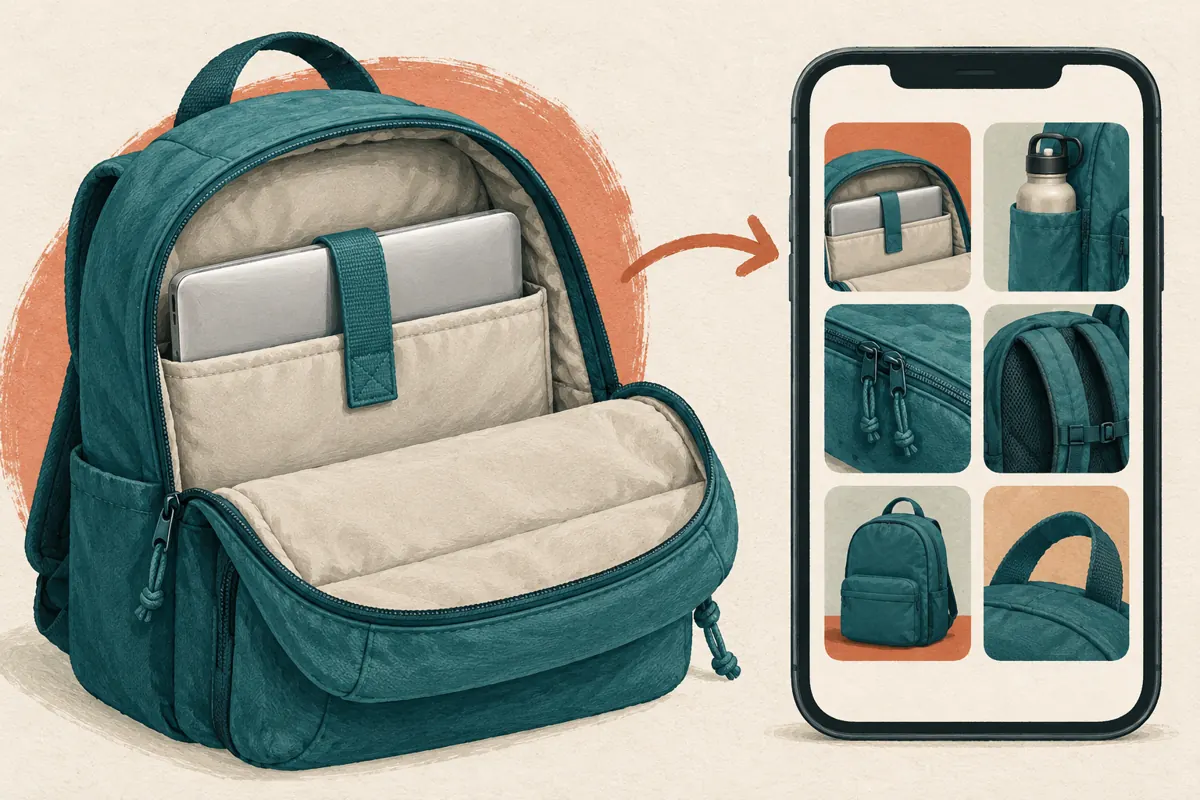
A consistent filming setup can make the shop’s collection easier to understand, but consistency should not erase the differences between videos. Use a similar background and lighting while changing the visible feature: laptop sleeve for the fit guide, side pocket for the bottle demonstration, shoulder straps for the adjustment guide. This gives each video a distinct visual subject within a coherent presentation.
In the hypothetical shop, staff maintain a short planning list with the product reference, buyer question and intended cover moment. They check it before recording another clip. If two planned covers look almost identical, they reconsider the angle or whether the videos answer sufficiently different questions. This prevents a library of attractive but interchangeable previews and helps staff retrieve the right explanation when responding to an enquiry.
9. Apply a separate decision to SMM panel services
A relevant catalogue example in the supplied khmer-social.com brief is “TikTok Video Views ~ Max Unlimited ~ 10M/Days ~ Instant ~ 𝐍𝐎 𝗥𝗘𝗙𝗜𝗟𝗟”. Its title presents it as a video-view service, but the brief supplies no description explaining delivery. The capacity and timing language in that name should not be treated as independently verified. Nothing supplied establishes Cambodian viewers, buyer interest, official TikTok affiliation or advertising delivery.
TikTok’s official explanation of deceptive behaviour prohibits fake engagement and services that artificially increase engagement. Do not use a panel listing to justify artificial activity or portray purchased counts as customer demand. If a proposed service depends on that activity, leave it out of the promotion plan. A cover review asks whether people can identify the right demonstration; purchased engagement cannot establish that they understood it, wanted the product or bought anything.
10. Check comprehension and learn from genuine enquiries
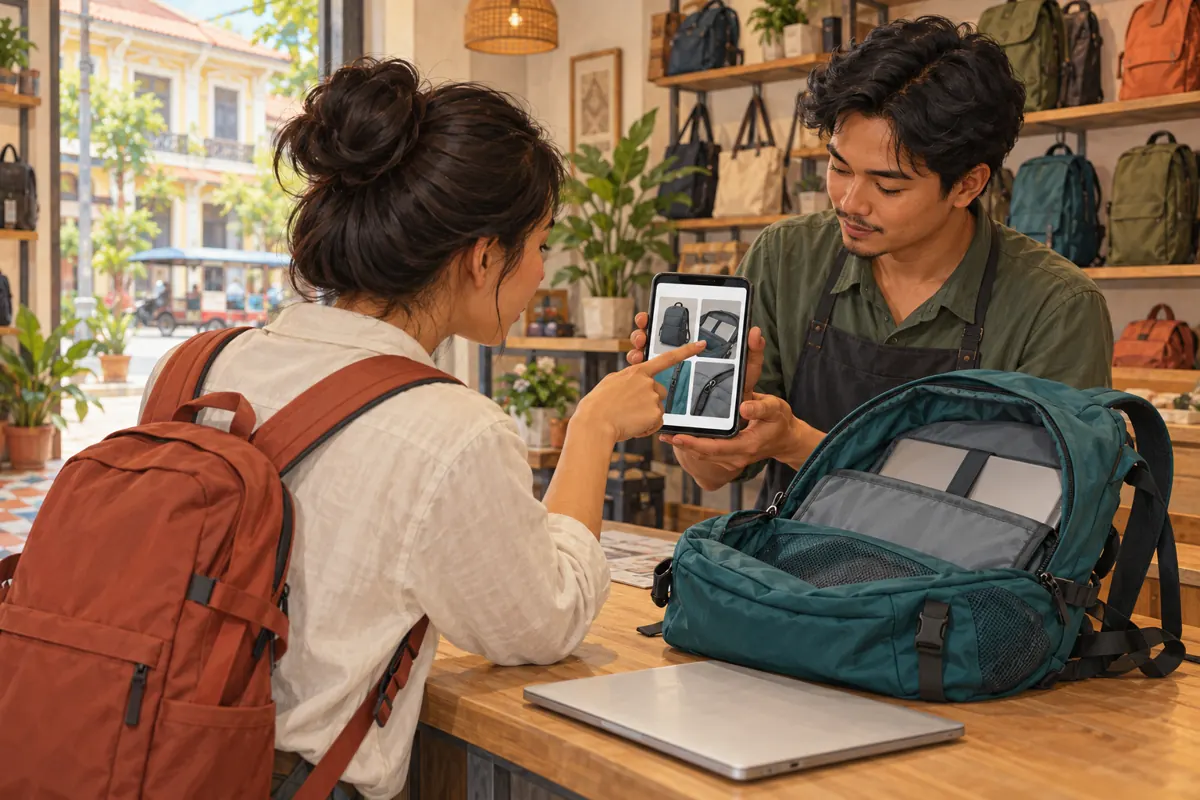
Ask a colleague who did not edit the clip to find the laptop-compartment demonstration among several previews. Give the task without pointing at the answer. Observe which image they choose and ask what they expect to see. This is a practical comprehension check, not a representative customer study. If they select the wrong clip, investigate whether the feature is hidden or the covers are too similar.
After publication, keep brief notes on genuine questions that remain unanswered. Repeated uncertainty about the sleeve opening may justify a closer demonstration; questions about another model may reveal an identification problem. Record these as observations, without claiming the cover caused a sale or a change in reach. If you revise the approach, change one clear element in the next relevant video so the team can explain what it learned.
Frequently asked questions
Should the cover show the whole backpack or the laptop compartment?
Choose the view that identifies the video’s main answer. For a compartment demonstration, show enough of the open interior to distinguish the sleeve while retaining enough of the bag to recognize the product. A whole-bag view is more suitable when the subject is overall shape or appearance. Avoid selecting an exterior image merely because it looks tidier.
Does every cover need a written label?
No. Start by checking whether the image communicates the subject on its own. Add a short label when similar products or features remain difficult to distinguish. Use wording familiar to the intended audience and review it at a small size. Text should clarify the visible evidence, not replace a demonstration that never shows the promised feature.
What if I cannot find a clear frame in the video?
Return to the footage before publishing. Record a stable view of the actual compartment and incorporate it naturally into the demonstration. Do not select another product’s interior or create an exaggerated illustration of the capacity. The article’s illustrations explain the workflow; they are not substitutes for accurate footage of the backpack being sold.
Can I rely on changing the cover after publication?
Plan to complete the cover review before posting. The official workflow cited here documents that stage. Check the options available on your own post before assuming a later change is possible. If an existing cover is seriously misleading, assess the available correction options and any shared references before deciding how to replace or correct the content.
Would buying views tell us whether the new cover works?
No. Purchased engagement does not demonstrate genuine interest, Cambodian audience origin, comprehension, sales or ad delivery. A recognition task can reveal whether someone finds the intended guide, while real enquiries can reveal missing information. Keep those observations separate from service delivery records, and exclude artificial engagement practices that conflict with TikTok’s rules.
Explore the current service catalogue, create an account, or ask a specific question through support tickets.
- TikTok Help Center: Editing, posting, and deleting — Adding a video cover
- TikTok Newsroom: How TikTok counters deceptive behaviour
Prepared with AI assistance. Illustrations explain the workflow and do not represent customer results.